100% Offline GST Ready Mobile App Included 🔐 Encrypted Cloud Backup 🌐 18 Languages One-Time or Yearly · No Monthly Fees

Professional Accounting
Built for India

Sales, purchases, inventory, GST, payroll and reports — all in one place. Works offline, runs on your desktop, connects to your phone from anywhere.

📥 Download for Windows 📱 Download Android APK See All Features

Free 45-day trial · No credit card · Your data stays on your computer

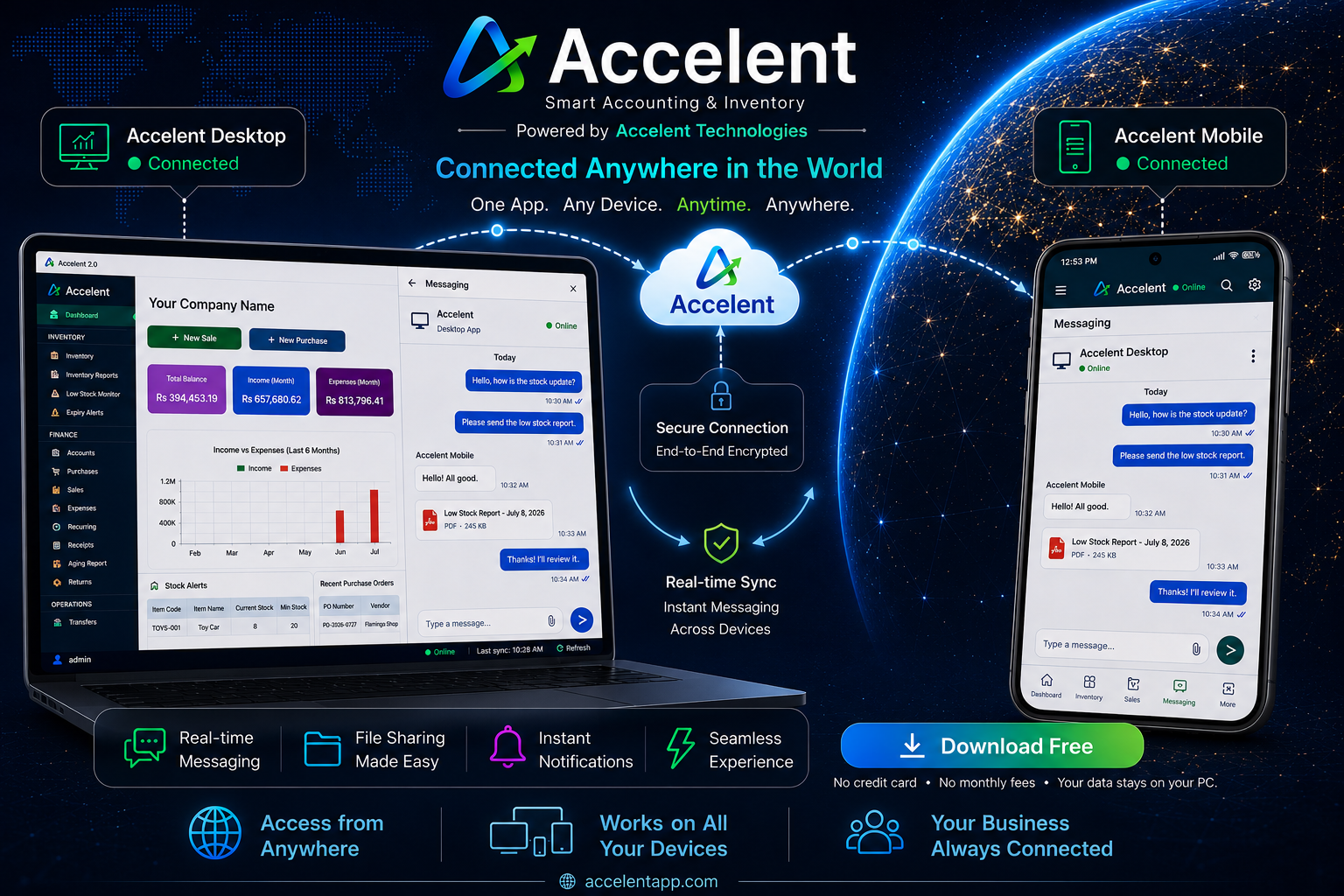
Accelent Desktop and Mobile Connected Anywhere in the World

Who uses Accelent?

Built for every small business

Whether you sell goods or services, Accelent fits your workflow from day one.

🏪

Retail & Kirana Shops

Fast billing, barcode scanning, stock management and daily cash tracking — all under one roof.

🏭

Wholesale Traders

Manage large purchase orders, vendor payments, party ledgers and credit customers with ease.

🔧

Service Businesses

Raise service invoices, track recurring clients, manage expenses and view profit at a glance.

Electrical & Hardware

Item-wise stock, HSN codes, GST-compliant bills and low-stock alerts built in automatically.

📊

Switching from Excel?

Import your items and parties from CSV. No re-entry. Be up and running in under an hour.

💼

Switching from Tally?

Same GST features, simpler interface, mobile companion app — and a fraction of the price.

Everything you need

Accounting made simple

No complexity, no steep learning curve. Just the tools small businesses actually use every day.

🧾

Sales & Invoicing

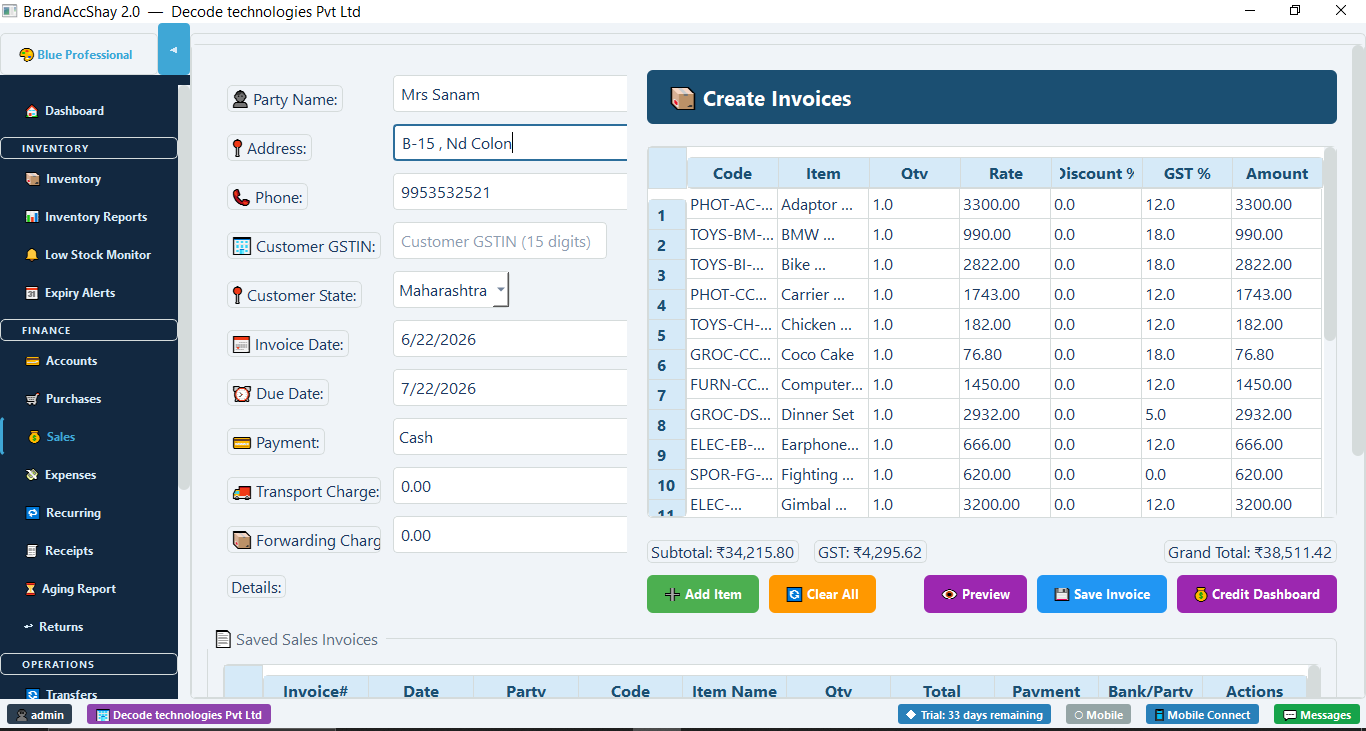
  • GST invoices with CGST, SGST & IGST
  • Party-wise outstanding tracking
  • Credit customer dashboard
  • Transport & forwarding charges
  • Print or PDF with one click
📦

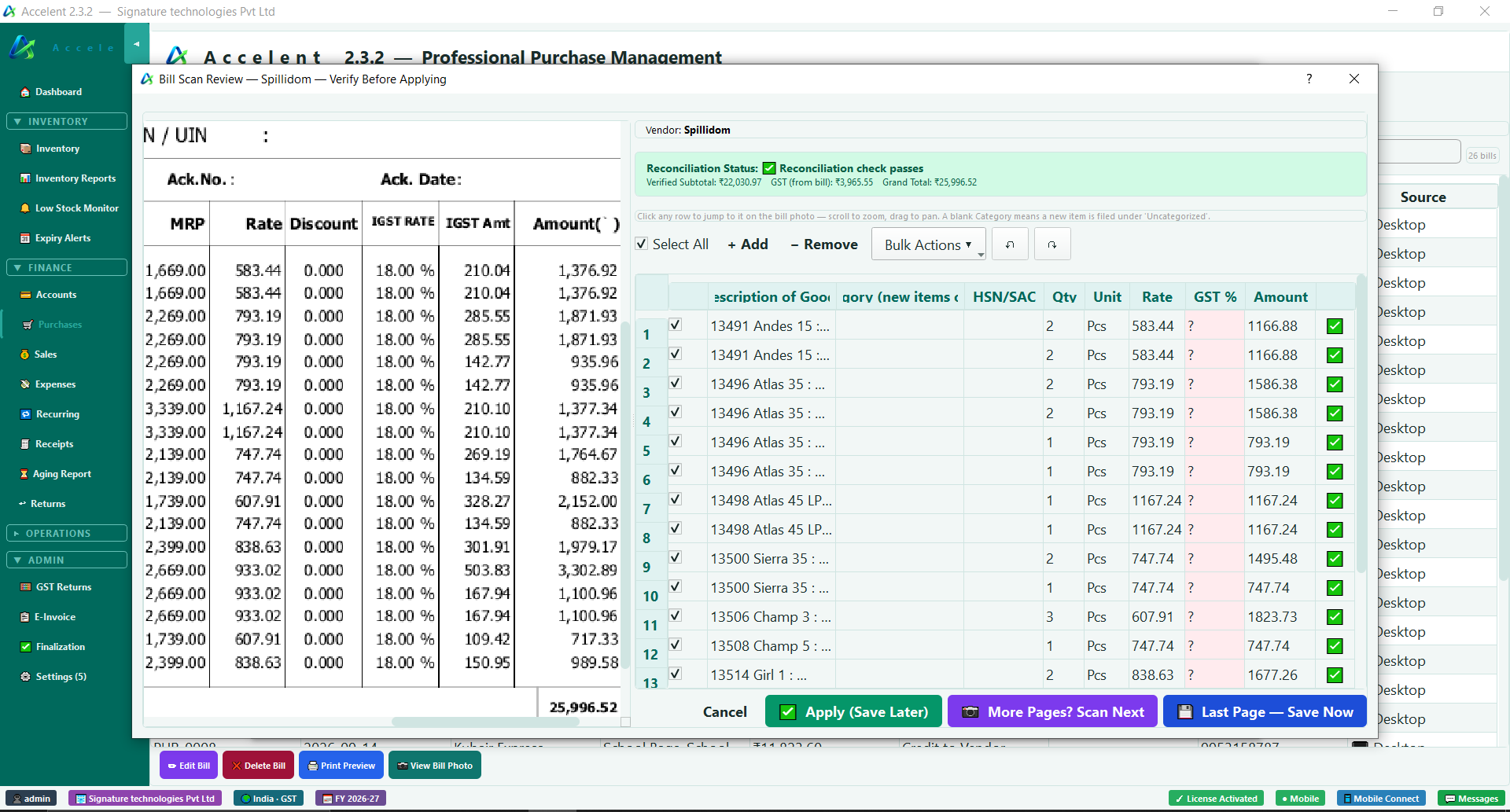
Purchase Management

  • Purchase orders sent to vendors
  • Smart receive with quantity check
  • Auto stock update on purchase
  • Vendor history & ledger
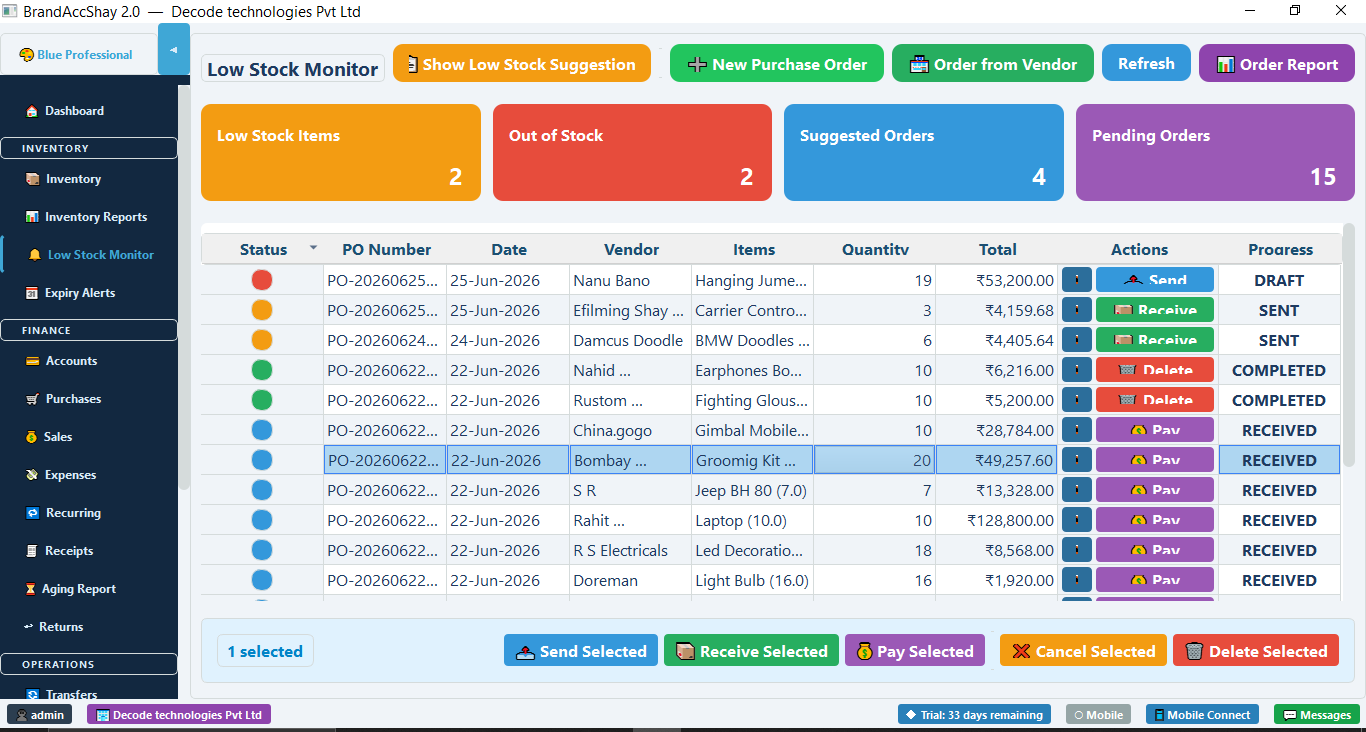
  • Low stock to PO in one click
📊

Inventory Control

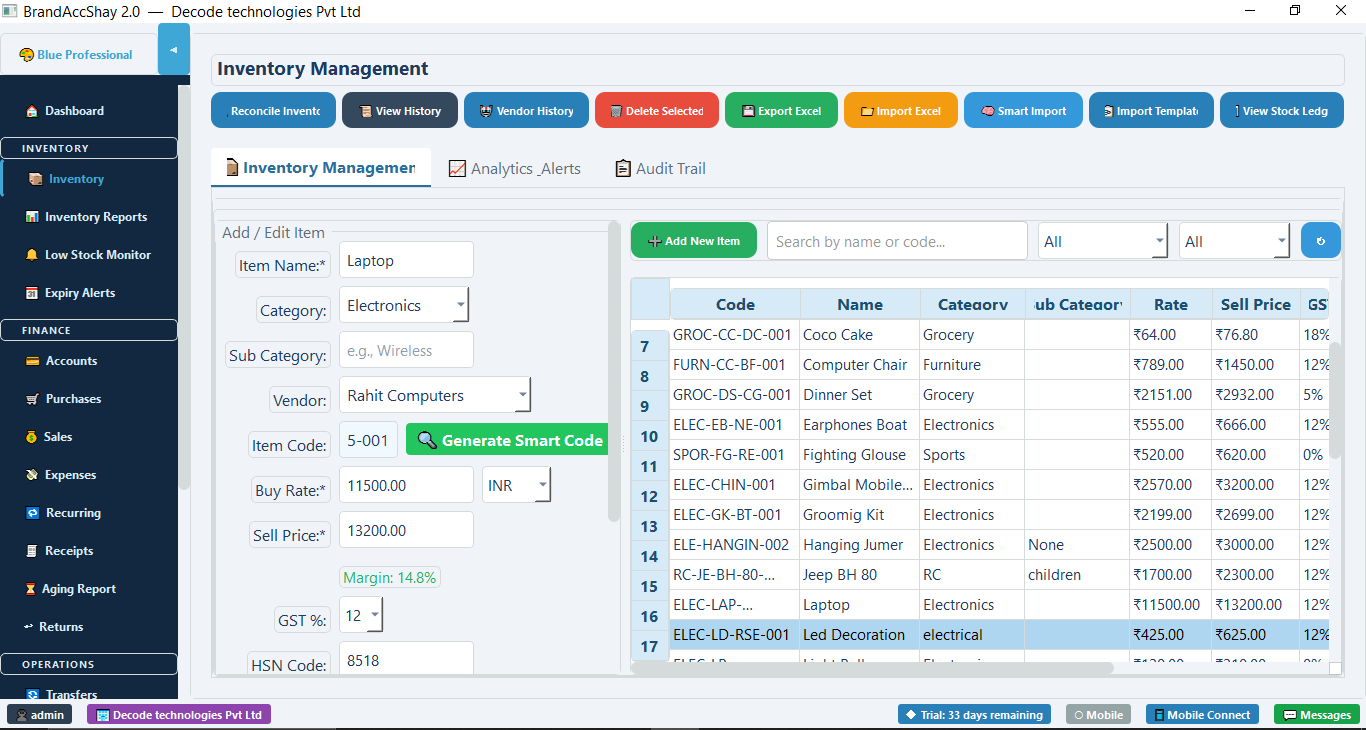
  • Real-time stock levels
  • Low stock & out-of-stock alerts
  • Barcode scanning from phone camera
  • Item-wise profit margin tracking
  • Smart item code generation
📋

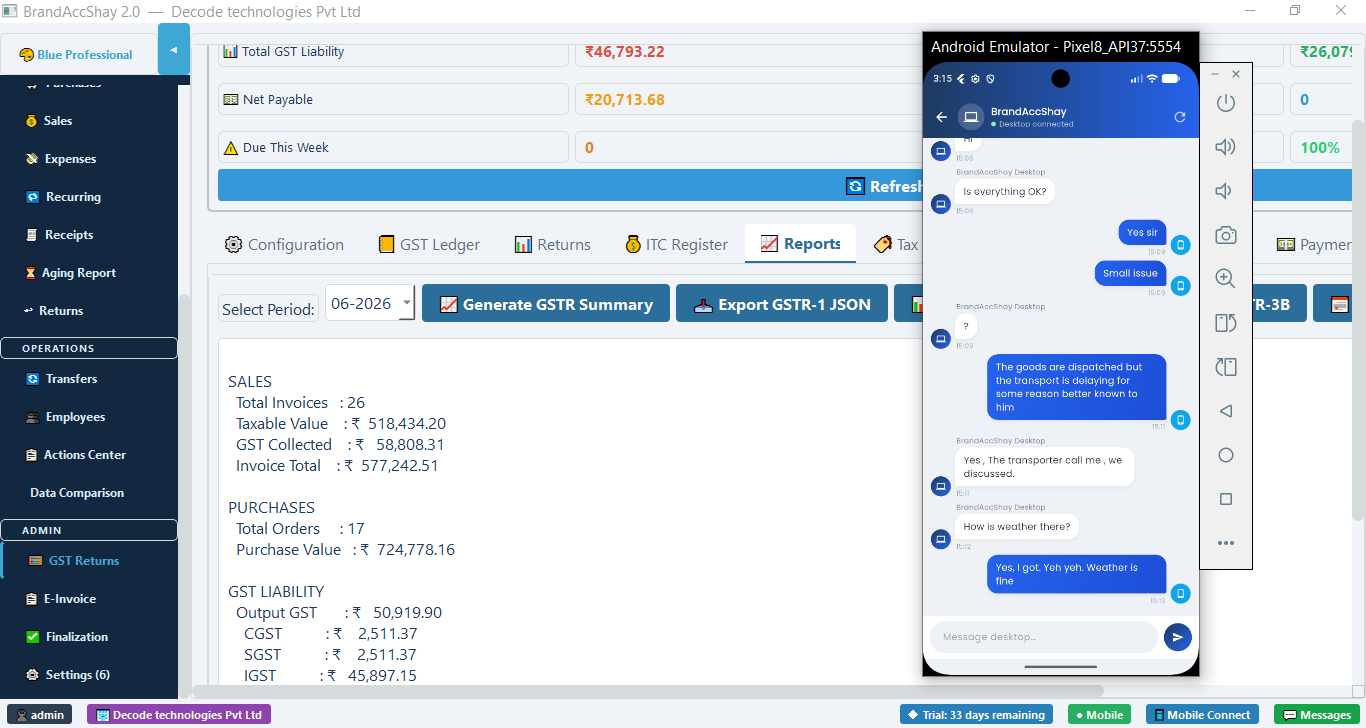
GST & Compliance

  • Automatic CGST, SGST, IGST split
  • GSTR-1 summary generation
  • E-Invoice & IRN support
  • HSN code management
  • GST liability & ITC register
↩️

Returns Management

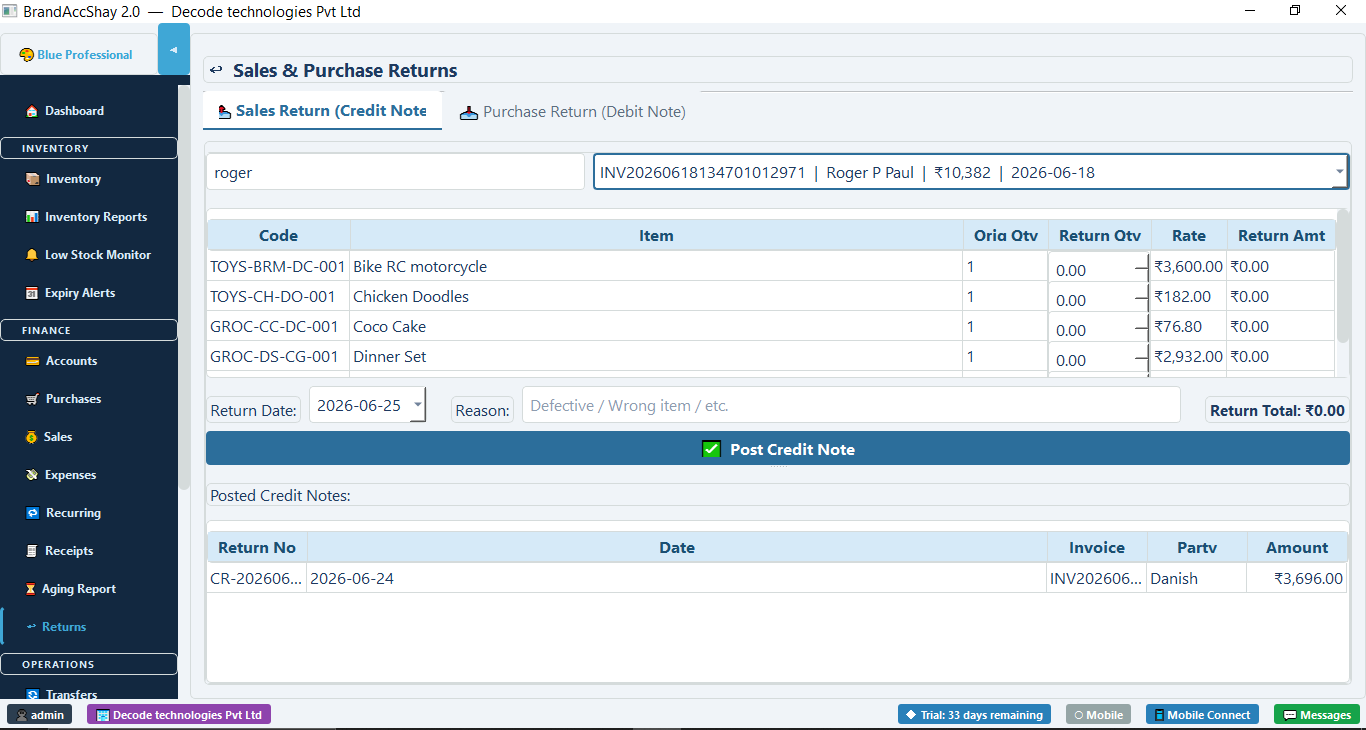
  • Sales return with credit notes
  • Purchase return with debit notes
  • Auto stock reversal on return
  • Return history per party
💰

Accounts & Finance

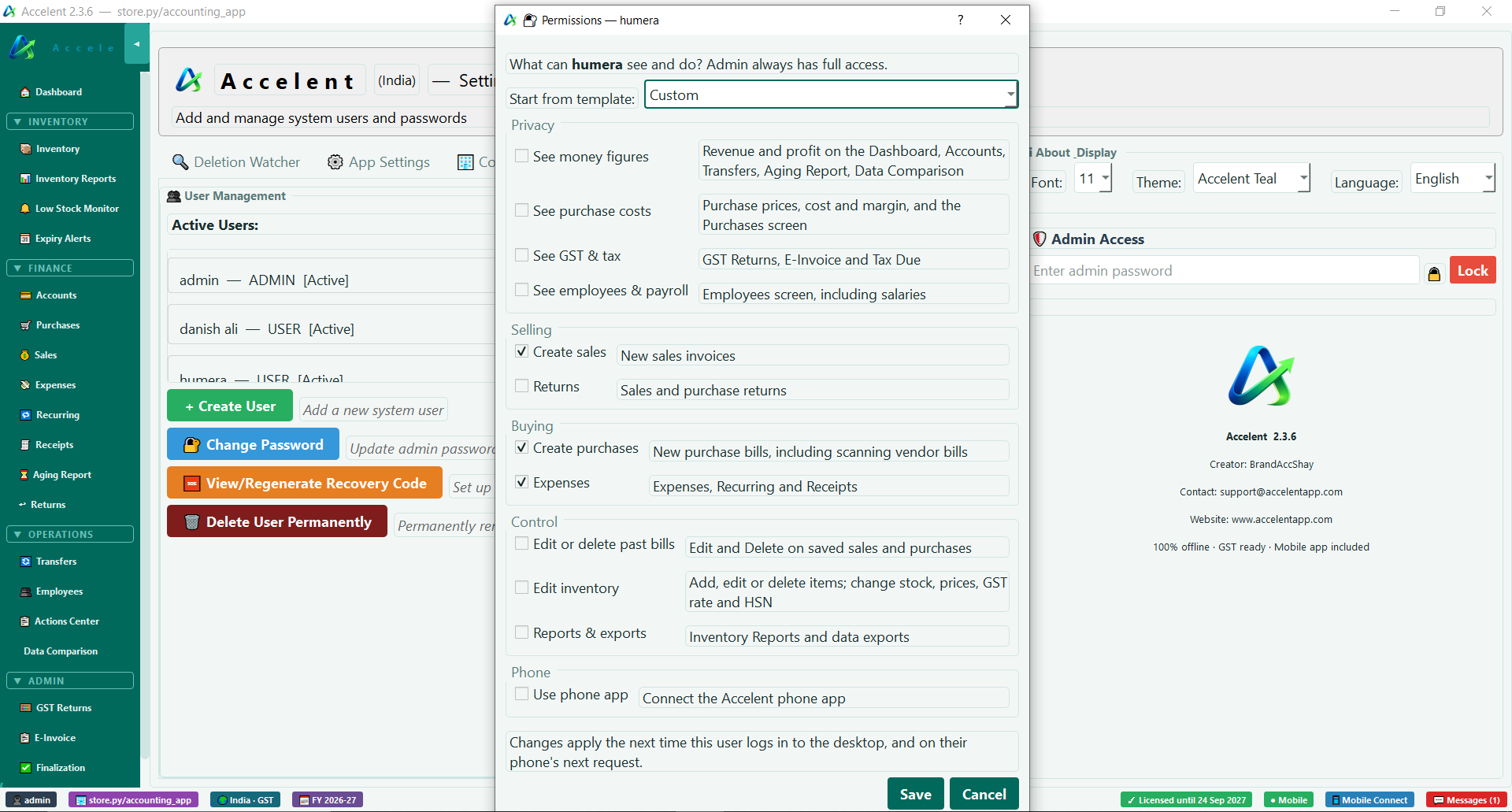
  • Multi-bank account management
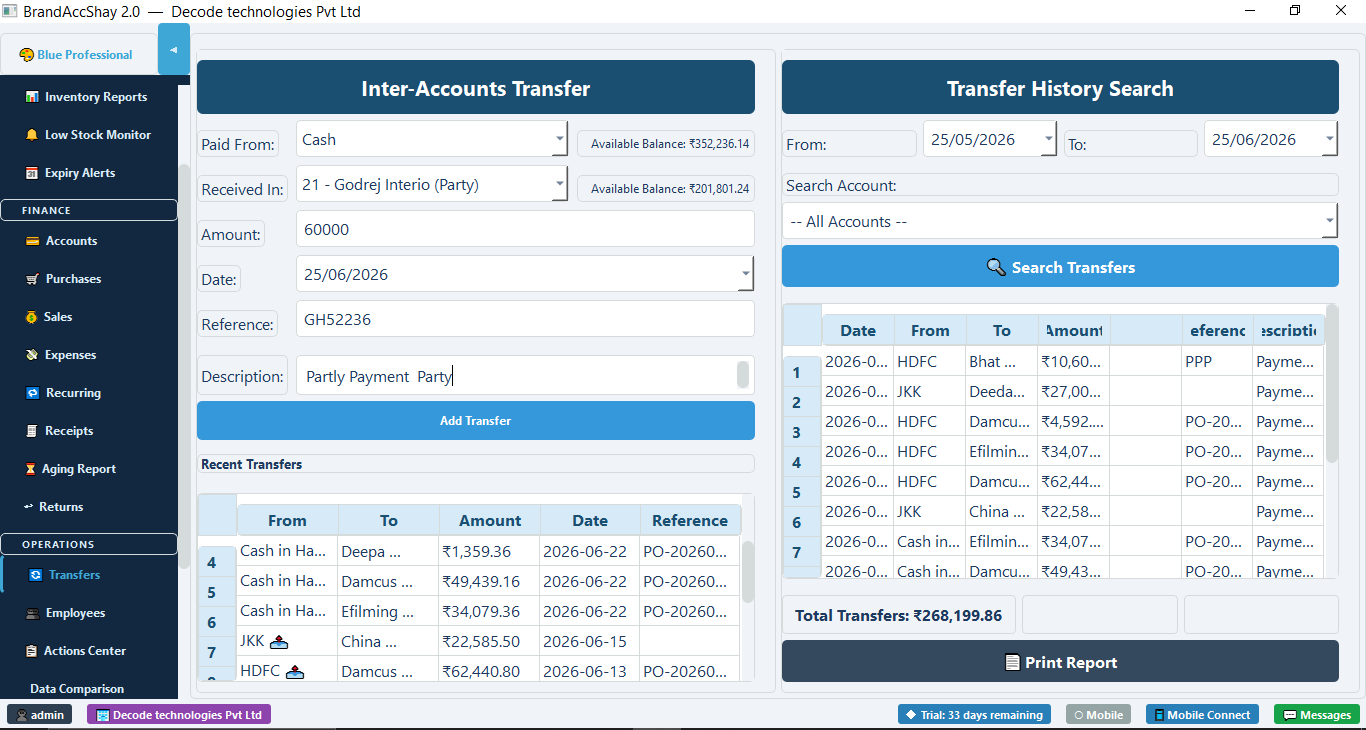
  • Inter-account transfers
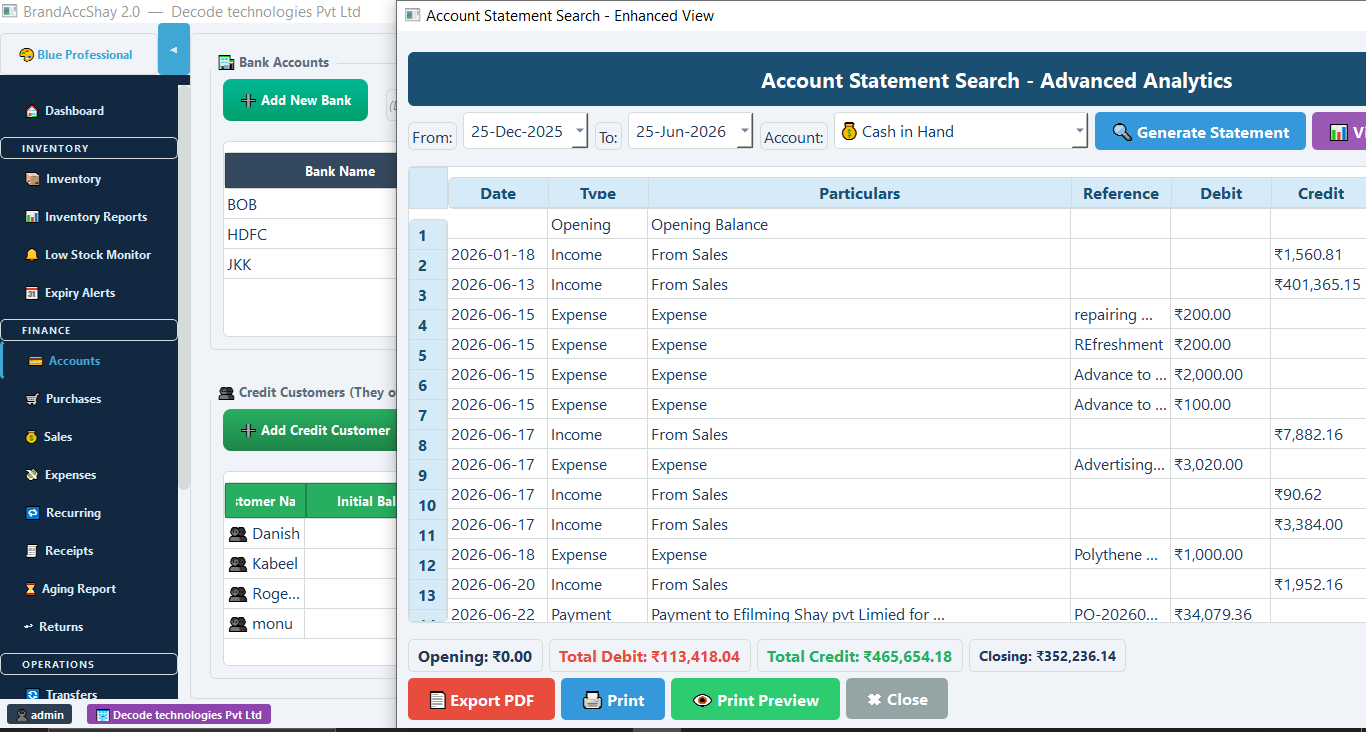
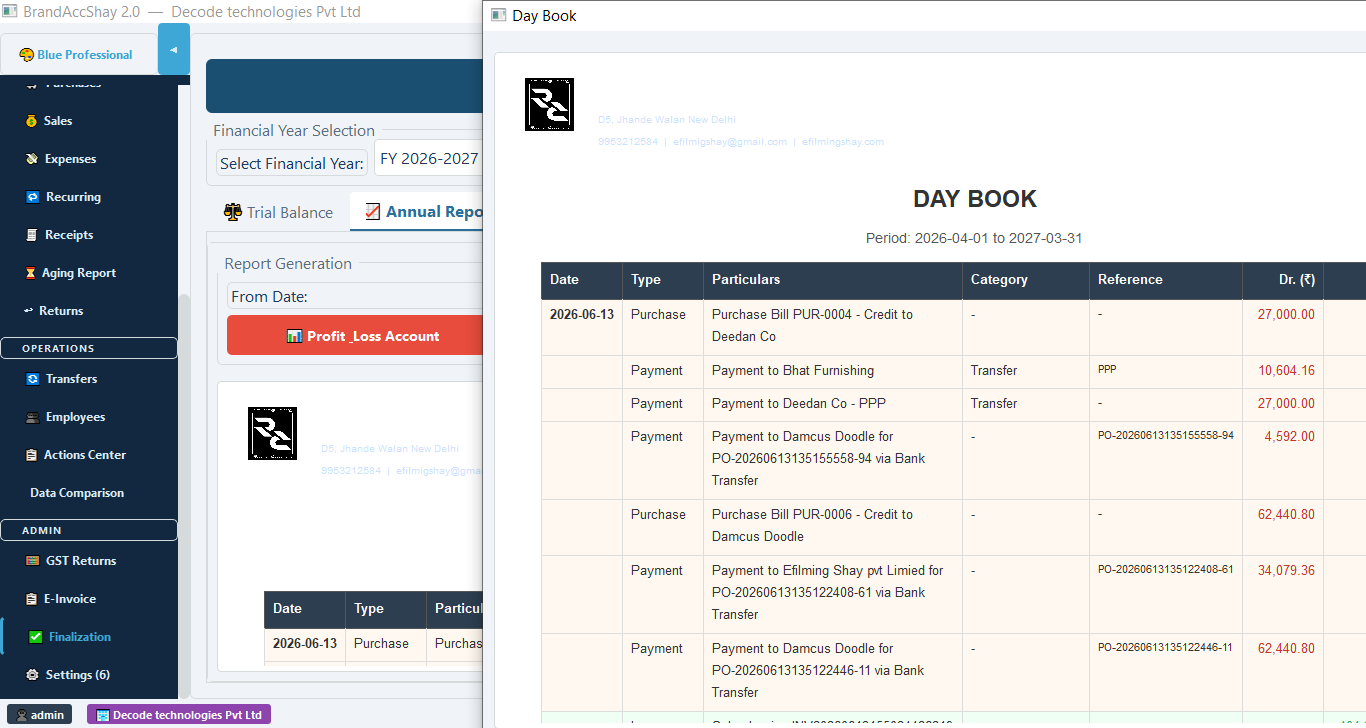
  • Day book & account statements
  • Aging report & overdue tracking
  • Trial balance & annual reports
👥

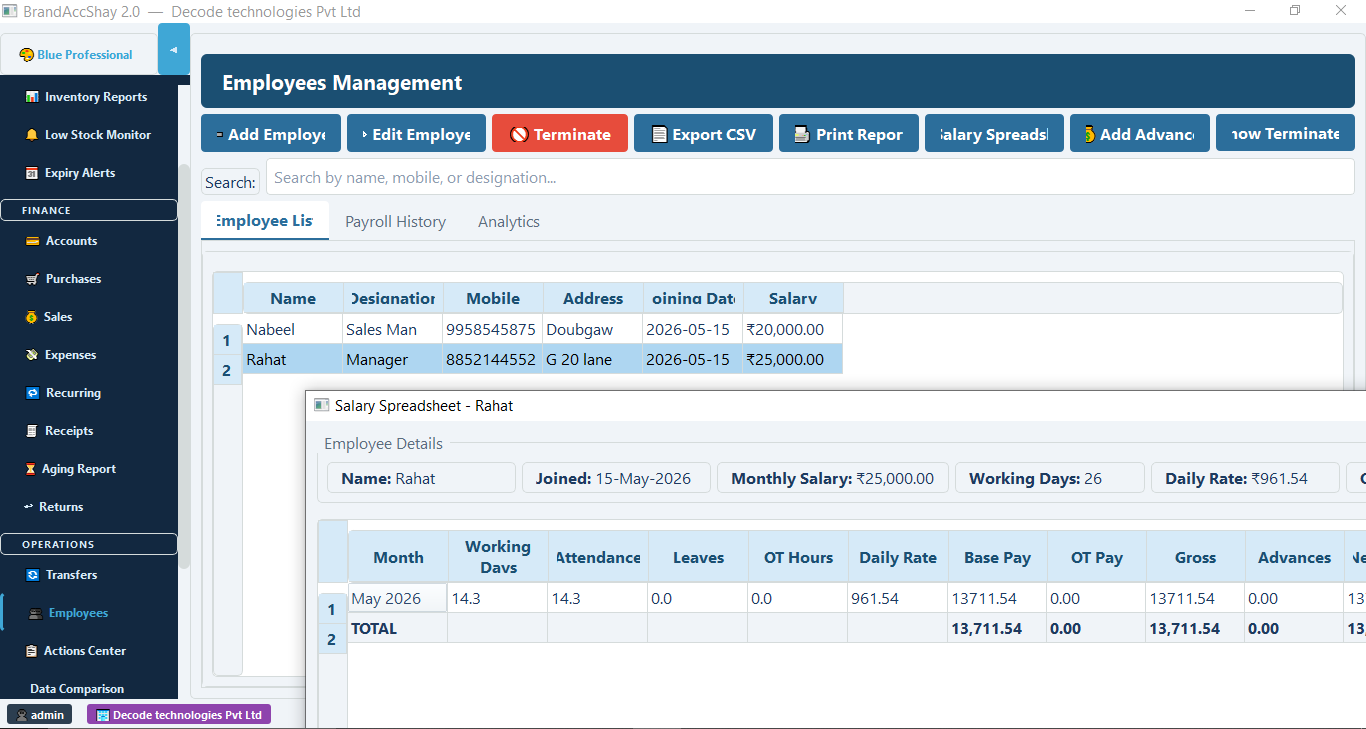
Employees & Payroll

  • Employee profiles & designations
  • Attendance & leave tracking
  • Monthly salary spreadsheet
  • Advance payment management
  • Export payroll to CSV
📈

Reports & Analytics

  • Profit & loss statement
  • Party ledger reports
  • Stock & inventory reports
  • Income vs expense charts
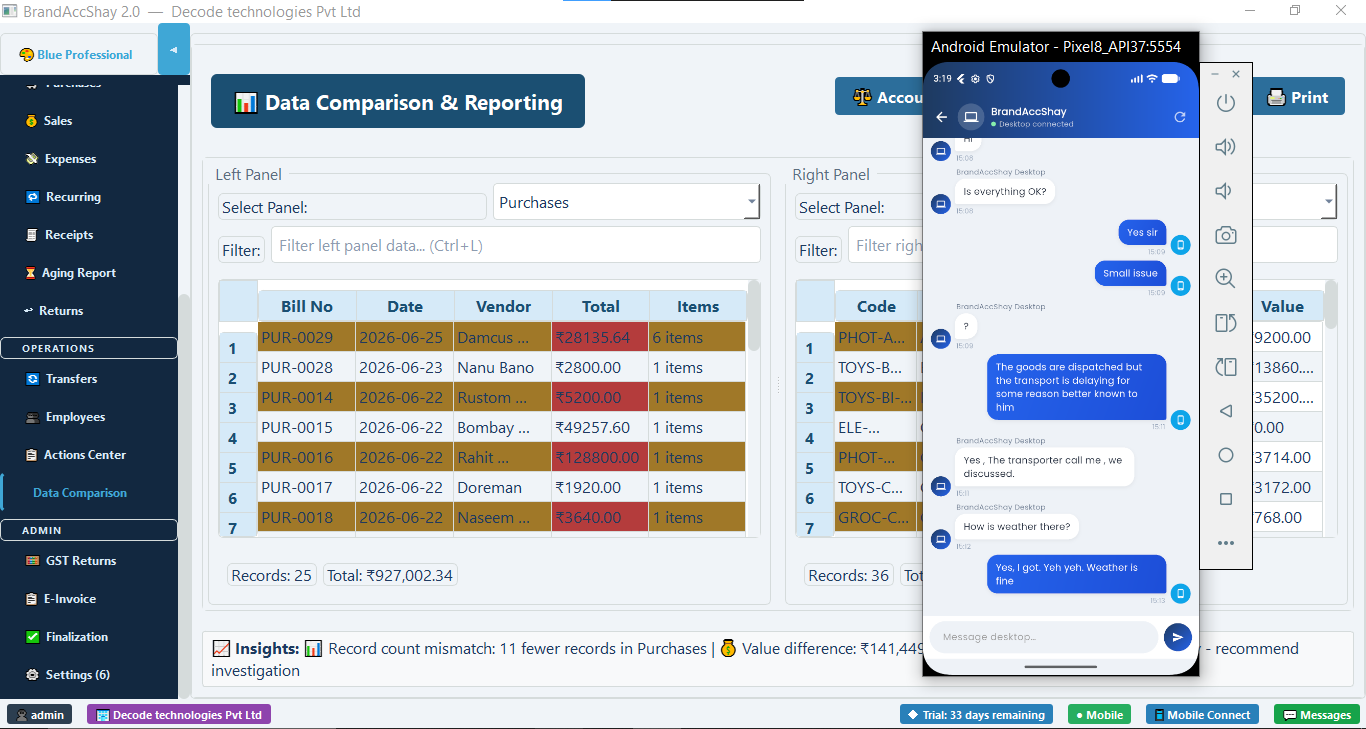
  • Data comparison & audit tools
🔐

Security & Multi-User

  • Role-based staff access
  • Audit trail on all changes
  • Data stored locally on your PC
  • No internet subscription needed
  • Finalization & data lock feature
🌐

18 Languages

  • English, Hindi, Urdu, Spanish, French, German
  • Tamil, Telugu, Kannada, Bengali, Gujarati, Marathi
  • Punjabi, Nepali, Sinhala, Pashto, Dhivehi, Dzongkha
  • Switch anytime from Settings — no reinstall

See it in action

Real software, real screens

No demos, no mockups — here is exactly what Accelent looks like on your desktop.

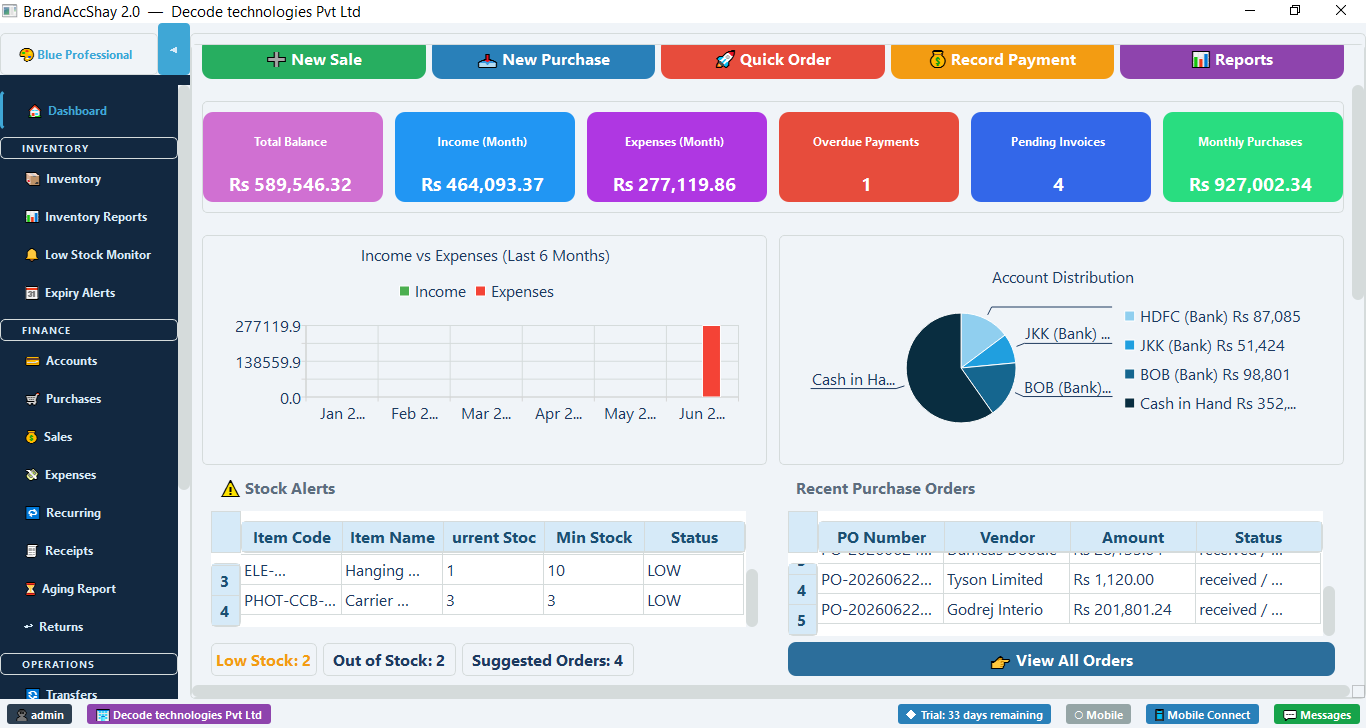
📊 Live Dashboard — Balance, Income, Expenses, Stock Alerts & Charts at a glance
Accelent dashboard overview
🧾 Sales & Invoice Creation
Sales invoicing
📦 Inventory Management
Inventory management
🛒 Purchase Orders & Low Stock Monitor
Purchase orders
💰 Account Statements & Bank Accounts
Account statements
↩️ Sales & Purchase Returns
Returns management
🏦 Inter-Account Transfers
Account transfers
👥 Employee Management & Payroll
Employee payroll
📋 GST Returns & Reports
GST returns
📖 Day Book & Annual Reports
Day book reports
🔍 Data Comparison & Audit Tools
Data comparison
📱 Desktop + Mobile working together in real time — create invoices on PC, monitor from phone
Desktop and mobile side by side

Your business in your pocket

The Accelent Android app connects to your desktop over WiFi or Tailscale VPN — stay on top of your business from anywhere in the world.

  • View live sales, stock and balances
  • Create invoices and purchases remotely
  • Scan barcodes with your phone camera
  • Add new inventory items on the spot
  • Real-time messaging with desktop operator
  • Works across different networks via Tailscale
  • Offline cached data when not connected
📱 Download Android APK
Mobile app connected to desktop

Get started in minutes

Simple setup, instant results

No IT team needed. Download, install and record your first sale in under 10 minutes.

1

Download

Download the Windows installer. No internet needed after setup.

2

Install

Extract and run Accelent.exe. Your data stays on your own computer.

3

Connect

Install the Android app, enter your desktop IP and both are in sync.

4

Start selling

Add your products, create your first invoice and you're in business.

Pricing

Simple, honest pricing

Choose one-time or yearly — whatever fits your budget. No per-user fees, no surprise charges either way.

Free Trial

₹0 / 45 days

No credit card required. Full access to all features.

  • All features unlocked
  • Desktop + Mobile app
  • Unlimited entries
  • Your data is always yours
  • No internet subscription
Start Free Trial

Yearly License

Contact Us

Lower upfront cost. Billed once a year, cancel anytime.

  • Everything in Trial
  • Renews annually
  • Free updates included
  • Priority support via WhatsApp
  • Multi-user staff accounts
  • GST filing ready
💬 WhatsApp Us

vs. Alternatives

AccelentOne-time ✓
Tally Prime₹54,000/yr
Zoho Books₹24,000/yr
Busy₹12,000/yr

Why Accelent?

Feature comparison

See how Accelent stacks up against the alternatives.

Feature Accelent Tally Zoho Books Excel
Easy to use✓ SimpleComplexModerateManual
Works 100% offline✓ Always✗ Cloud only
Android mobile app✓ Built-in✓ (extra)
Barcode scanning✓ Phone cameraAdd-on
GST reports✓ AutomaticManual
E-Invoice / IRN
Desktop–Mobile messaging✓ Built-in
Employee & payrollLimitedManual
Data stays on your PC✓ Always✗ Cloud
One-time price✗ Annual✗ Monthly✓ (free)
Free trial✓ 45 days✓ 14 days

Your data. Your freedom.

No lock-in. Ever.

Your business data belongs to you — not to us, not to a cloud server.

💾

Stored Locally

All data is saved as an SQLite database on your own computer. No server, no subscription, no risk of data loss if we shut down.

📤

Export Anytime

Export invoices, reports, inventory and ledgers to PDF, Excel or CSV at any time — even during the free trial.

🔒

Trial Data Safe

When your trial ends, your data is never deleted or locked. Activate a license anytime and continue exactly where you left off.

📥

Easy Migration

Coming from Excel or Tally? Import your items and parties via CSV. We help you migrate without starting over.

New · 100% Optional

Encrypted Cloud Backup — even we can't read it

Accelent stays 100% offline by default. If you want a safety net against a lost, stolen or damaged computer, turn on Cloud Backup — it's opt-in, and it never sends your data to our servers.

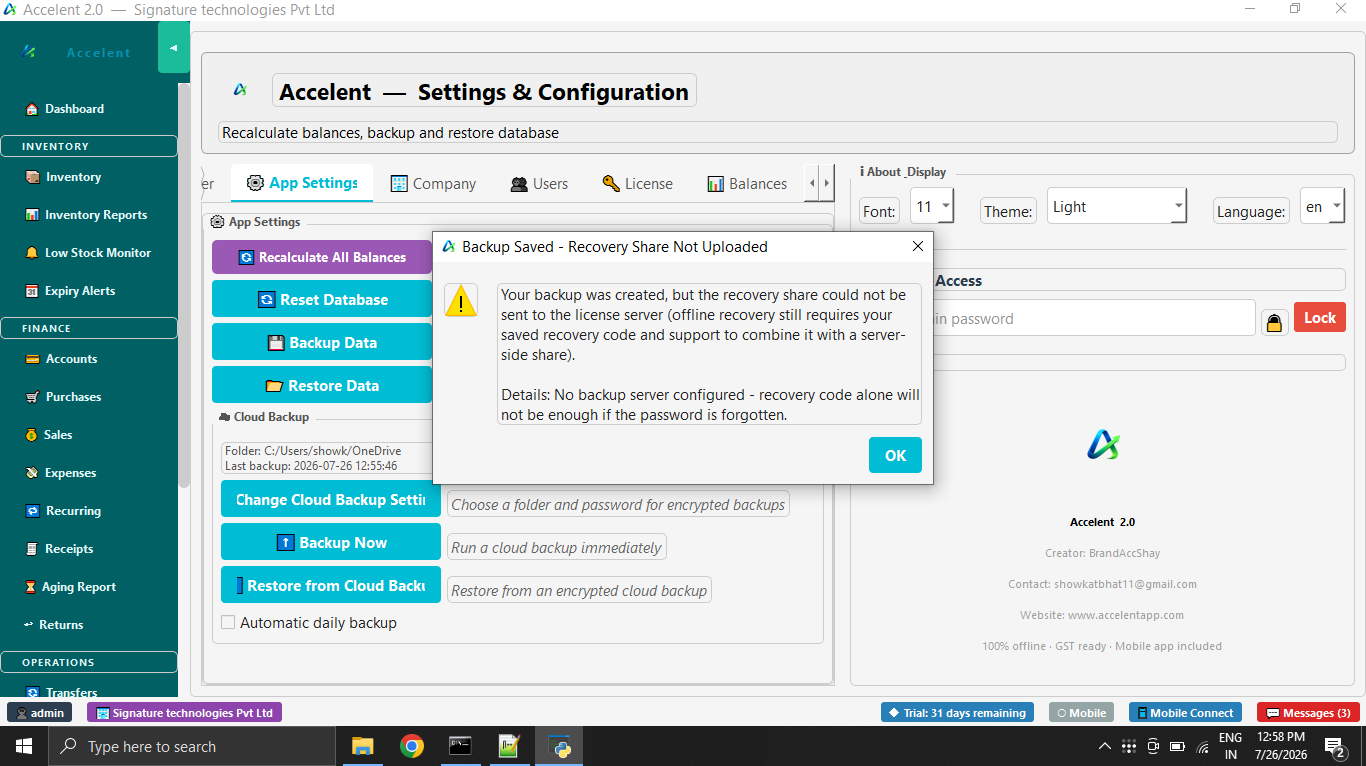
☁️ Set up once — choose your own folder and password
Accelent Cloud Backup settings panel
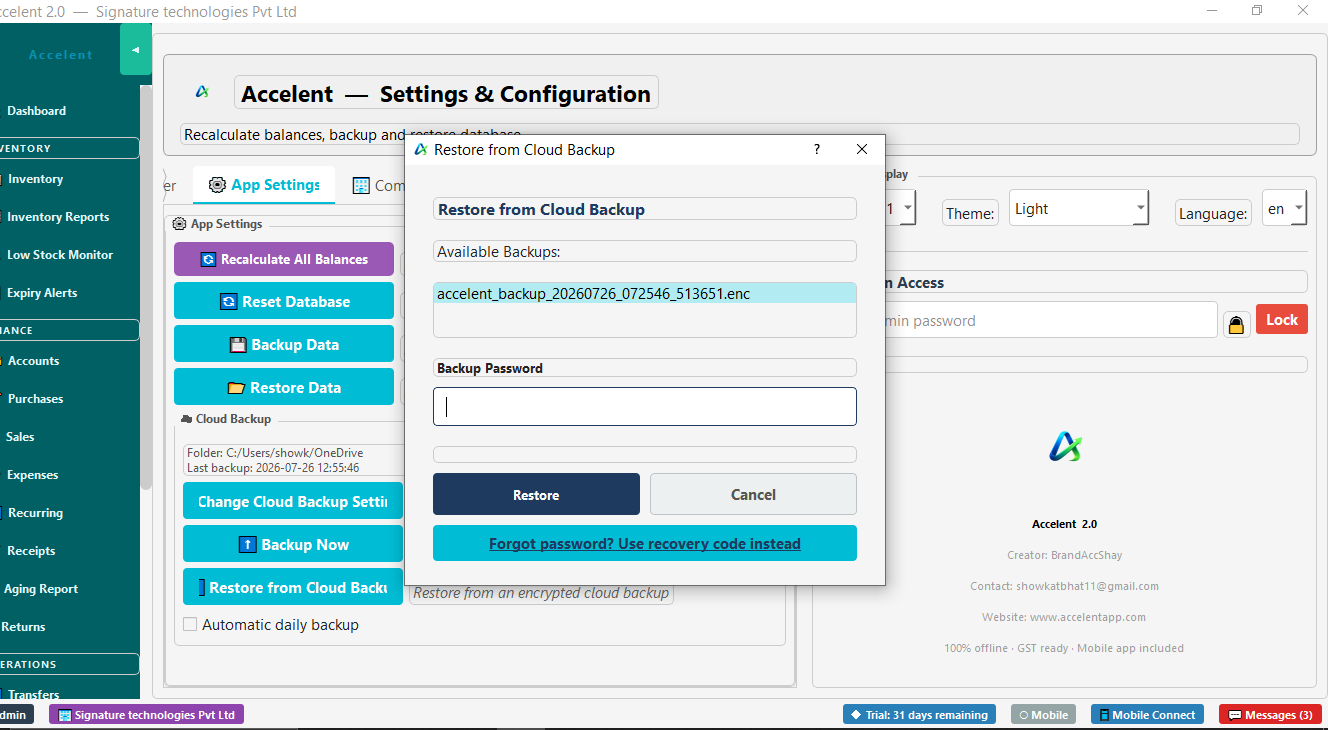
🔓 Restore anytime — even if you forget your password
Restore from Cloud Backup dialog
🔐

Encrypted Before It Leaves Your PC

Backups are encrypted with your own password before they're written anywhere. Nobody — including us — can read your data without it.

☁️

Your Cloud, Not Ours

Backups go to a folder you choose — your own OneDrive or Google Drive. We never store your accounting data on our servers.

🔁

Automatic & On-Demand

Turn on daily automatic backup and forget about it, or click "Backup Now" any time from Settings.

🆘

Forgot Your Password?

A recovery code you save once, plus a verified support request, can restore access — designed so no single party can unlock your data alone.

FAQ

Common questions

Everything you need to know before getting started.

Does Accelent work without internet?
Yes — 100% offline. After installation, Accelent never needs an internet connection to work. All your data is stored locally on your computer. Internet is only used once during license activation.
What happens to my data after the trial ends?
Your data is never deleted. You can view and export all your records even after the trial period. Simply activate a license to continue adding new entries.
How does the mobile app connect to the desktop?
On the same WiFi network, enter your desktop's local IP address in the app and you're connected instantly. For remote access (different networks), install the free Tailscale app on both devices — it creates a secure private network between them.
Can I scan barcodes with my phone?
Yes. The Accelent Android app has a built-in barcode scanner using your phone camera. Scan any product barcode during a sale or purchase — it automatically finds the item. If the barcode is new, you can add the item directly from your phone.
Is Accelent GST compliant?
Yes. Accelent automatically calculates CGST, SGST and IGST on every invoice. It generates GSTR-1 summaries and supports E-Invoice with IRN generation for businesses that require it.
Can multiple staff members use it?
Yes. You can create staff accounts with role-based access — for example, a salesperson who can only raise invoices but not view financial reports. Each user logs in with their own password.
What are the system requirements?
Windows 10 or Windows 11 (64-bit). Minimum 4 GB RAM recommended. No internet required after setup. The Android app requires Android 8.0 or above.
Is Cloud Backup safe? Can Accelent read my data?
No. Your backup is encrypted with your own password before it ever leaves your computer, and it's saved to a cloud folder you choose (your own OneDrive or Google Drive) — never to our servers. We cannot read it. If you ever forget your password, recovery requires both a code you saved yourself and a verified support request — no single party, including us, can unlock it alone.
What languages does Accelent support?
Accelent's interface is available in 18 languages: English, Hindi, Urdu, Spanish, French, German, Tamil, Telugu, Kannada, Bengali, Gujarati, Marathi, Punjabi, Nepali, Sinhala, Pashto, Dhivehi, and Dzongkha. Switch anytime from Settings — no reinstall needed.
How do I get support?
Write to us at support@accelentapp.com or reach us on WhatsApp for fast responses. Most queries are resolved within 24 hours.
Ready to run your business smarter?

Free 45-day trial. No credit card. No monthly fees. Your data, your computer, your control.

📥 Download for Windows 📱 Download Android APK 💬 WhatsApp / Contact Us

Windows 10/11 · Android 8.0+ · Questions? support@accelentapp.com

View full release notes on GitHub →